
You need a Cloudflare account on the free plan and a subdomain such as apollo.yourdomain.com. Email on your main domain keeps working the whole time.
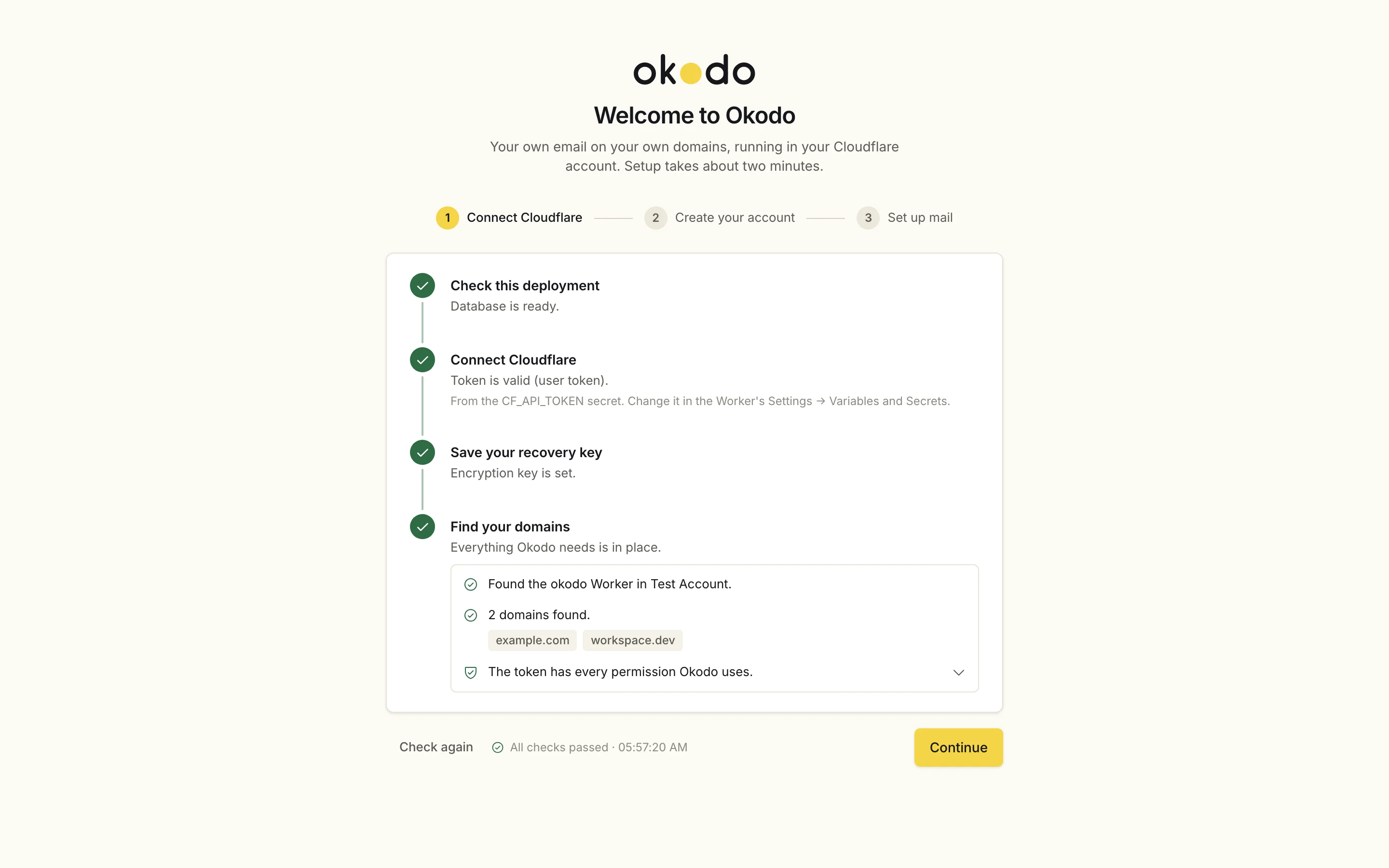
First-run setup: deployment, Cloudflare token, recovery key and domain checks all passing.
Five steps
In the order the app asks.
Deploy first. The setup page handles the rest.
Deploy
Sign in with Wrangler, then deploy. You get theokodoWorker, its D1 database and 2 cron triggers.npx wrangler login npm run deployConnect Cloudflare
Open yourworkers.devaddress straight away and paste an API token from the link on the setup page. Save the recovery key in a password manager.You can narrow the token's zone resources to
yourdomain.com.Create your account
Zoneyourdomain.com, subdomainapollo, addressadmin. Leave “move mail to Okodo” unticked.Set up mail
Setup turns on Email Routing forapollo.yourdomain.comand adds its records and a rule foradmin@.Turn on two-factor
Under Settings, then Account.
DNS
Four records, all on apollo.
- MXapolloroute1/2/3.mx.cloudflare.net
- TXTapollov=spf1 include:_spf.mx.cloudflare.net ~all
- TXTcf2024-1._domainkey.apolloCloudflare DKIM key
- TXT_dmarc.apollov=DMARC1; p=none
Main domain
The apex is never changed.
If Cloudflare puts MX records on the apex anyway, setup deletes them again and stops.
Right after deploy
Three things to do first.
Claim the instance right after deploying
Until someone creates the owner account, the setup page accepts any valid Cloudflare token.
Store the recovery key offline
It is the way back in when the owner is locked out.
Turn on two-factor sign-in
It is optional in Okodo. Turn it on under Settings, then Account.
Point-in-time restore
Any minute of the last 7 days.
D1 Time Travel does this on the free plan.
npx wrangler d1 time-travel restore okodo --timestamp <unix-or-iso>Exports
A full copy, whenever you want one.
Full export
Keep these files private. They contain your mail and codes.
npx wrangler d1 export okodo --remote --output backup-$(date +%F).sqlRestore into a fresh database
Load an export back into an empty D1 database.
npx wrangler d1 execute okodo --remote --file backup.sqlLost the owner password? Use Owner locked out? with the recovery key.
Would it help to see Okodo running before you deploy it?